Your FM station, one tab away.
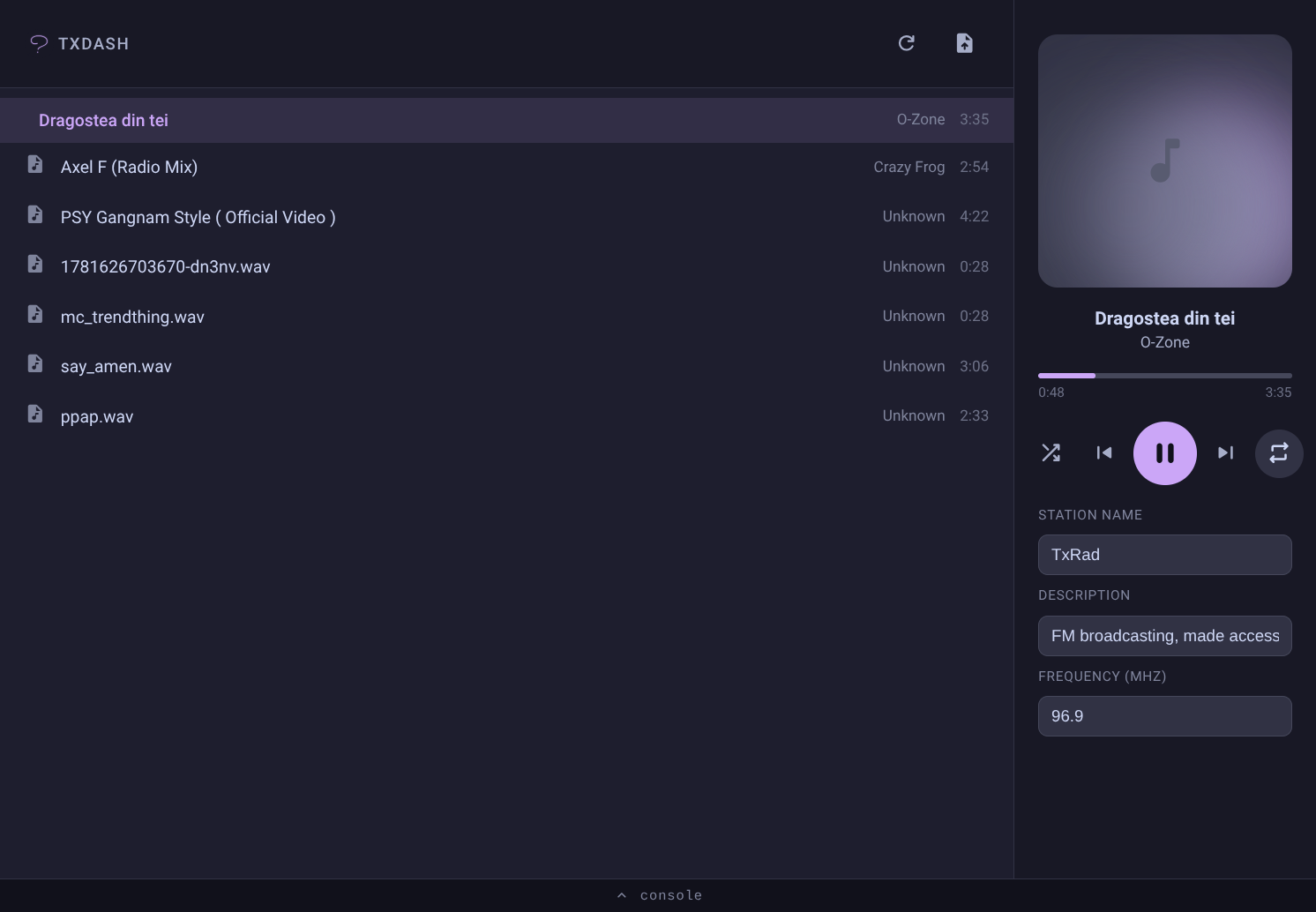
TxDash turns a Raspberry Pi into a full FM broadcast dashboard. Upload a file, hit play, edit your station name and frequency — all from a browser, on any device on your network. No terminal, no memorized commands.

Everything your station needs,
nothing it doesn't.
Easy Uploads
Drop in MP3, WAV, FLAC, or whatever you've got. Files are converted automatically.
Full Transport Controls
Play, pause, skip, shuffle, and loop your library straight from the dashboard.
Live Station Settings
Edit your station name, description, and frequency on the fly, no restart required.
Built-In Console
Need to go lower-level? A console drawer gives you shell access without leaving the page.
Passkey Protection
Set a passkey once during install. Anyone opening the dashboard needs it to get in.
Single Port, Self-Hosted
Runs entirely on your own hardware. One port to expose, nothing else to manage.
Up and running
in minutes.
Installation
Clone the repo and run the installer as root:
curl -sSL https://txdash.dpip.lol/install | sudo bash
The installer sets up everything required to run TxDash, prompting you for a station name, description, frequency, and an optional passkey.
Hardware Setup
Connect an antenna or wire to your Raspberry Pi's GPIO 4 (pin 7) for FM broadcast.
Open the Dashboard
Visit your Pi's address on port 8080 from any browser on your
network. Upload a file, hit play, you're on air.